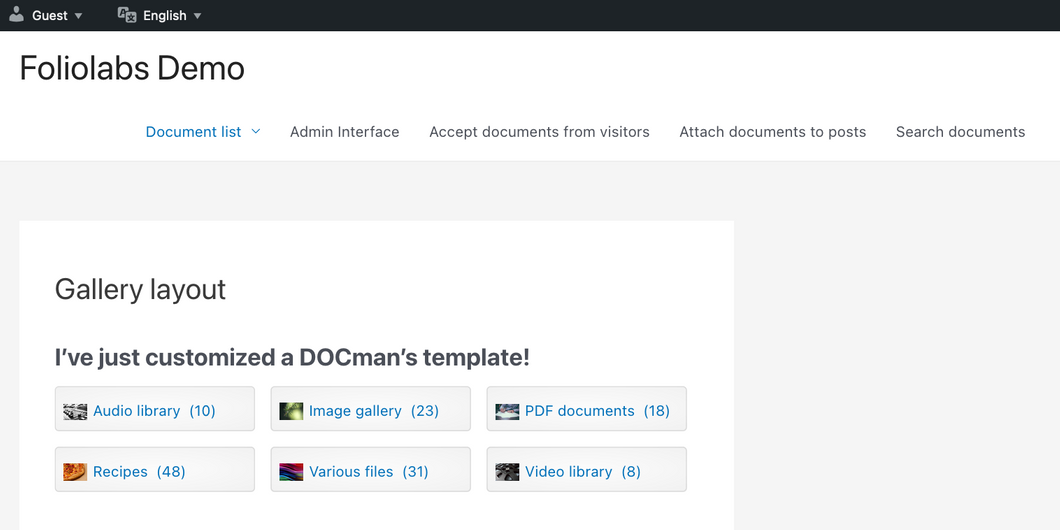
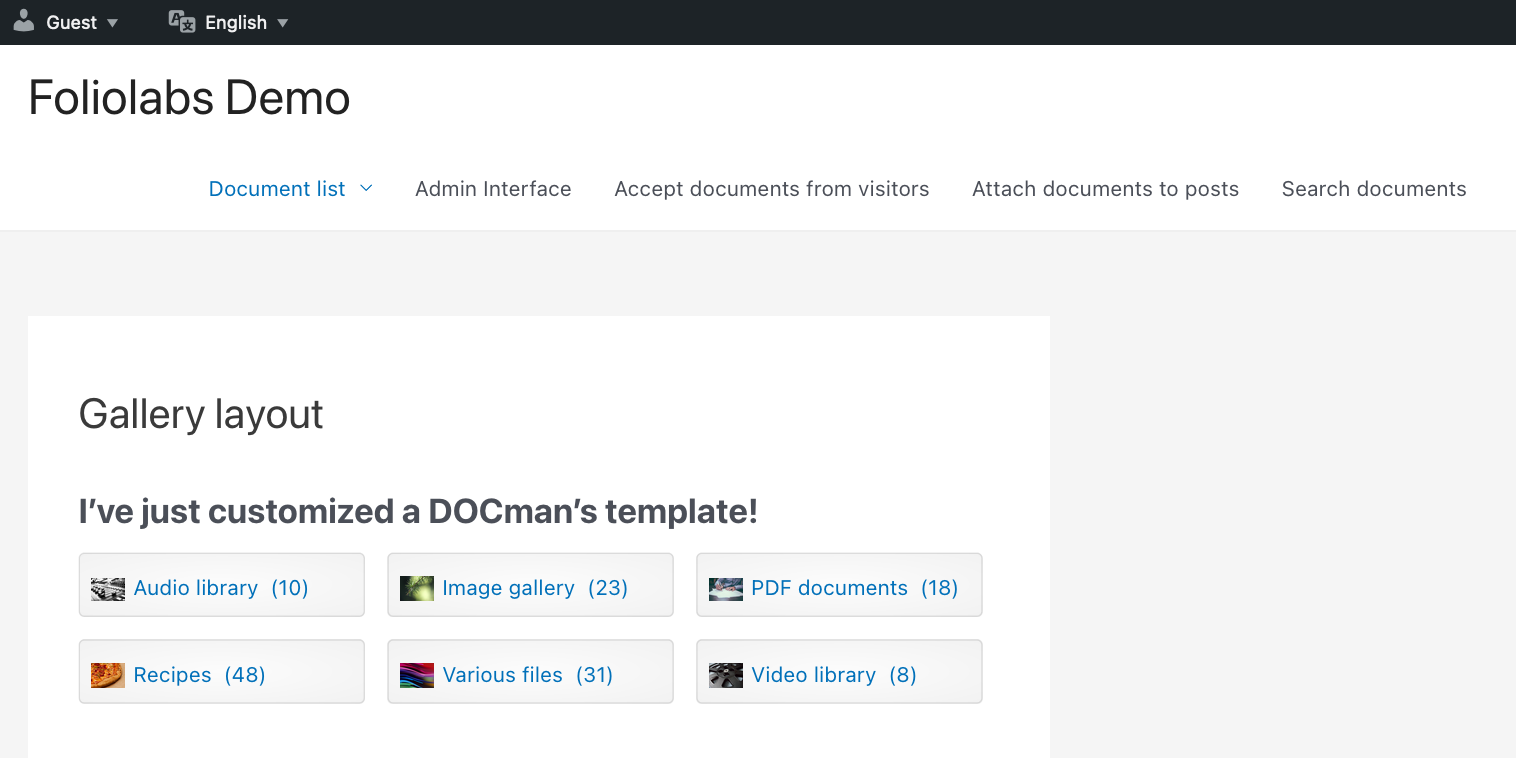
{ "jsonapi": { "version": "1.0" }, "links": { "self": "https://www.joomlatools.com/wordpress/docman/documentation/customizations/template-overrides?search=hu525" }, "data": { "type": "wpdocman-docs-articles", "id": "template-overrides", "attributes": { "id": "64998b6f49ac94654ebfd9fb", "number": 519, "hasDraft": false, "collectionId": "604a233924ce107ab4d148bd", "popularity": 0.0, "publicUrl": "https://helpscout.joomlatools.com/article/519-template-overrides", "public": true, "viewCount": 0, "lastPublishedAt": "2025-01-20T14:33:21Z", "changeOrigin": "hs-app-ui", "name": "Template overrides", "status": "published", "categories": [ "604a2557207e3b1188e1b25d" ], "createdBy": 232458, "createdAt": "2023-06-26T12:58:23Z", "updatedBy": 639261, "updatedAt": "2025-01-20T14:33:21Z", "category": { "id": "604a2557207e3b1188e1b25d", "collectionId": "604a233924ce107ab4d148bd", "number": 414, "publicUrl": "https://helpscout.joomlatools.com/category/414-customizations", "defaultSort": "custom", "description": "DOCman is built to be customised, learn how to make DOCman fit your needs.", "name": "Customizations", "order": 13, "visibility": "public", "articleCount": 4, "publishedArticleCount": 2, "createdBy": 182095, "createdAt": "2021-03-11T14:12:39Z", "updatedBy": 639261, "updatedAt": "2025-01-20T14:33:21Z", "collection": "wpdocman" }, "content": { "body": "\u003Cp\u003EIf you have made it here, that is probably because you need a template to do things YOUR way! That\u0026#39;s perfect, you are in the right place ... we\u0026#39;ll show you how to create your own template overrides.\u003C/p\u003E\u003Ch2 id=\u0022the-location\u0022\u003EThe location\u003C/h2\u003E\u003Cp\u003EFirst things first. You need to create a folder for adding your template overrides inside:\u003C/p\u003E\u003Cpre\u003ESITE_ROOT/wp-content/foliolabs/templates/docman/\u003Cb\u003Esite|admin|base\u003C/b\u003E\n\u003C/pre\u003E\u003Cp\u003EInside the docman override folder you may have 3 different folders each one pointing to overrides for \u003Cb\u003Eadmin\u003C/b\u003E, \u003Cb\u003Esite\u003C/b\u003E and \u003Cb\u003Ebase\u003C/b\u003E templates. As their name suggest, each one of these folders harbors templates for the different DOCman interfaces. The admin interface templates are located in the admin folder, site templates on site, while base holds generic and re-usable templates. These 3 folders are one to one mappings of the folders located on:\u003C/p\u003E\u003Cdiv data-html-block\u003E\u003Cpre\u003E\u003Ccode\u003E\nadmin: SITE_ROOT/wp-content/plugins/foliolabs-docman/admin/view/VIEW/templates\n\nsite: SITE_ROOT/wp-content/plugins/foliolabs-docman/site/view/VIEW/templates\n\nbase: SITE_ROOT/wp-content/plugins/foliolabs-docman/base/view/VIEW/templates\n\u003C/code\u003E\n\u003C/pre\u003E\u003C/div\u003E\u003Ch2 id=\u0022learn-by-example\u0022\u003ELearn by example\u003C/h2\u003E\u003Cp\u003ESuppose that you would like to modify the output of a DOCman hierarchical list block with a gallery layout set. The first thing you need to do is to locate the corresponding template file inside the DOCman plugin folder:\u003C/p\u003E\u003Cpre\u003ESITE_ROOT/wp-content/plugins/foliolabs-docman/site/view/list/templates\n\u003C/pre\u003E\u003Cp\u003EInside this folder you may find the 3 main list layouts for list blocks (gallery, list and table). Since we are interested on overriding the gallery layout (gallery.html.php) let\u0026#39;s open and see its contents:\u003C/p\u003E\u003Cdiv data-html-block\u003E\u003Cpre\u003E\u003Ccode\u003E\n\u0026lt;?\n/**\n * @package DOCman\n * @copyright Copyright (C) 2019 Timble CVBA. (http://www.timble.net)\n * @license GNU GPLv3 \u0026lt;http://www.gnu.org/licenses/gpl.html\u0026gt;\n * @link http://www.joomlatools.com\n */\ndefined(\u0027FOLIOKIT\u0027) or die; ?\u0026gt;\n\n\u0026lt;? // Document list | Import child template from documents view ?\u0026gt;\n\u0026lt;?= import(\u0027com://site/docman/documents/gallery.html\u0027, [\n \u0027documents\u0027 =\u0026gt; $documents,\n \u0027subcategories\u0027 =\u0026gt; $subcategories,\n \u0027photoswipe\u0027 =\u0026gt; option(\u0027document_title_link\u0027) === \u0027download\u0027 \u0026amp;\u0026amp; $category-\u0026gt;canDownloadDocument()\n])?\u0026gt;\n\u003C/code\u003E\n\u003C/pre\u003E\u003C/div\u003E\u003Cp\u003EThe first step is to copy all of the template\u0026#39;s content and paste it inside a new override file located at:\u003C/p\u003E\u003Cpre\u003ESITE_ROOT/wp-content/foliolabs/templates/docman/site/list/gallery.html.php\n\u003C/pre\u003E\u003Cp\u003EYou are now effectively overriding the original template file. DOCman will automatically load this template instead of the original one located in the WordPress plugins folder. Any change made inside this template file will be immediately visible and most importantly, it will not get replaced or removed when updating to a newer DOCman version.\u003C/p\u003E\u003Cp\u003ENow let\u0026#39;s add a small change inside this overridden file:\u003C/p\u003E\u003Cdiv data-html-block\u003E\u003Cpre\u003E\u003Ccode\u003E\ndefined(\u0027FOLIOKIT\u0027) or die; ?\u0026gt;\n\n\u0026lt;h3\u0026gt; I\u0027ve just customized my gallery template! \u0026lt;/h3\u0026gt;\n\n\u0026lt;? // Document list | Import child template from documents view ?\u0026gt;\n\u0026lt;?= import(\u0027com://site/docman/documents/gallery.html\u0027, [\n\u003C/code\u003E\n\u003C/pre\u003E\u003C/div\u003E\u003Cp\u003ENow refresh your corresponding list block on the site\u0026#39;s frontend to see the magic \u003C/p\u003E\u003Cp\u003E\u003Cimg src=\u0022https://s3.amazonaws.com/helpscout.net/docs/assets/58cff5152c7d3a79f5f8e023/images/6499a20fc5d2b53344e72c93/file-rH6DeHv5BE.png\u0022 style=\u0022width: 100%; max-width: 100%; \u0022 /\u003E\u003C/p\u003E\u003Ch2 id=\u0022templates-including-templates\u0022\u003ETemplates including templates\u003C/h2\u003E\u003Cp\u003EOne thing worth mentioning is that template files may include other files by using the \u003Cb\u003Eimport( ... )\u003C/b\u003E call. In this specific case you see the template file above including another template =\u0026gt; \u003Cb\u003Ecom://site/docman/documents/gallery.html\u003C/b\u003E. This corresponds to a template identifier pointing to a file located at:\u003C/p\u003E\u003Cpre\u003ESITE_ROOT/wp-content/plugins/foliolabs-docman/site/view/documents/templates/gallery.html.php\n\u003C/pre\u003E\u003Ch3 id=\u0022template-identifiers\u0022\u003ETemplate identifiers\u003C/h3\u003E\u003Cp\u003EA template identifier in DOCman is constructed as follows:\u003C/p\u003E\u003Cpre\u003Ecom://\u003Cb\u003EDOMAIN\u003C/b\u003E/docman/\u003Cb\u003EVIEW\u003C/b\u003E/\u003Cb\u003ETEMPLATE_FILE\u003C/b\u003E\n\u003C/pre\u003E\u003Cp\u003EAs an example, if you see an import call such as:\u003C/p\u003E\u003Cpre\u003Eimport(\u0026#39;com://\u003Cb\u003Esite\u003C/b\u003E/docman/\u003Cb\u003Edocument\u003C/b\u003E/\u003Cb\u003Edefault.html\u003C/b\u003E\u0026#39;)\n\u003C/pre\u003E\u003Cp\u003Eyou should then look for the template file inside this folder:\u003C/p\u003E\u003Cpre\u003ESITE_ROOT/wp-content/plugins/foliolabs-docman/\u003Cb\u003Esite\u003C/b\u003E/view/\u003Cb\u003Edocument\u003C/b\u003E/templates/\u003Cb\u003Edefault.html.php\u003C/b\u003E\n\u003C/pre\u003E\u003Cp\u003EAlternatively, a template identifier such as:\u003C/p\u003E\u003Cpre\u003Ecom://\u003Cb\u003Eadmin\u003C/b\u003E/docman/\u003Cb\u003Edocument\u003C/b\u003E/\u003Cb\u003Edefault_field_editor.html\u003C/b\u003E\n\u003C/pre\u003E\u003Cp\u003Eeffectively points to a template file located at:\u003C/p\u003E\u003Cpre\u003ESITE_ROOT/wp-content/plugins/foliolabs-docman/\u003Cb\u003Eadmin\u003C/b\u003E/view/\u003Cb\u003Edocument\u003C/b\u003E/templates/\u003Cb\u003Edefault_field_editor.html\u003C/b\u003E\n\u003C/pre\u003E", "type": "text/html" } }, "links": { "html": "https://www.joomlatools.com/wordpress/docman/documentation/customizations/template-overrides", "self": "https://www.joomlatools.com/wordpress/docman/documentation/customizations/template-overrides.json", "json": "https://www.joomlatools.com/wordpress/docman/documentation/customizations/template-overrides.json" } }, "index": { "uid": "documentation", "section": "DOCman for WordPress", "category": null } }