
Search module
Last updated: 28 March 2024The documents search module is a smart-module that shows a form to search for documents. You don't need to create a menu item to DOCman's search layout, the module is smart enough to work out whether such a menu item exists.
Installation
The module is bundled in the DOCman installation package and available in Joomla's Module Manager after installing DOCman.

Parameters
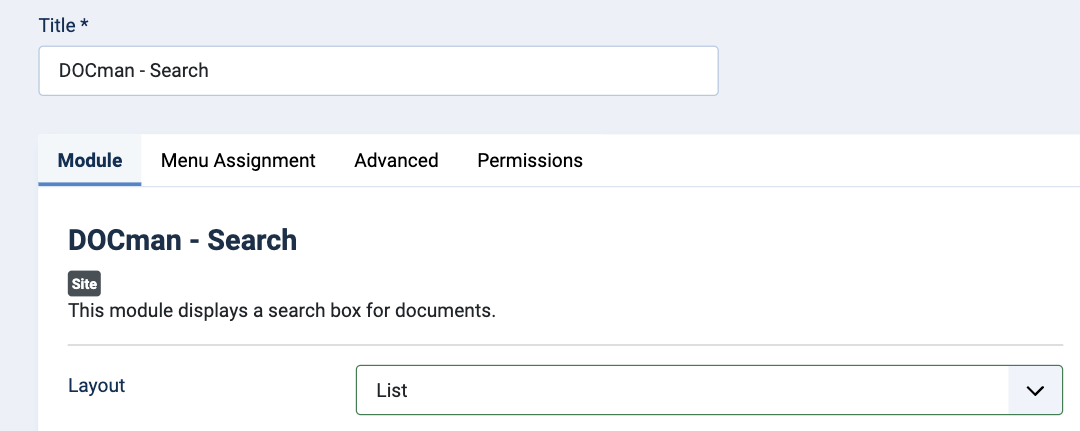
Layout: You can choose to display the search results as a list, or as a table.
Frequently asked questions
How to use search prefixes to filter documents
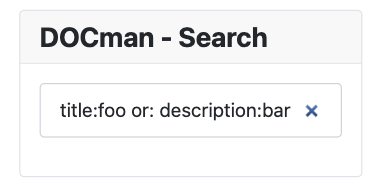
Search prefixes make it easier to search through your documents, filter them and find exactly what you are looking for.
Search prefixes allow you to search within specific areas of documents, such as: the document's title; the document's description; the document's ID; and if you have Joomlatools Connect installed, the document's contents.
Here are a few example search terms showing how to use search prefixes:
title:lorem- Search only in document titles for documents that have the wordloremin their title.description:ipsum- Search only in descriptions for documents that have the wordipsumin their description.contents:delor- Search only in document contents for documents that have the worddelorin their content, if you have Joomlatools Connect enabled.id:123- Search for the document that has the id123.title:lorem :and description:ipsum- Search for documents that have the wordloremin the title and the wordipsumin the description.title:lorem :or description:ipsum- Search for documents that have the wordloremin the title or the wordipsumin the description.title:lorem :or description:ipsum :and contents:delor- Search for documents that have the wordloremin the title or the wordipsumin the description and the worddelorin the content, if you have Joomlatools Connect enabled.
Note: You can use any combination of search prefixes, just remember to use the :and and :or keys.